Jellybean PM
GitHub-native project management embedded in your Astro site
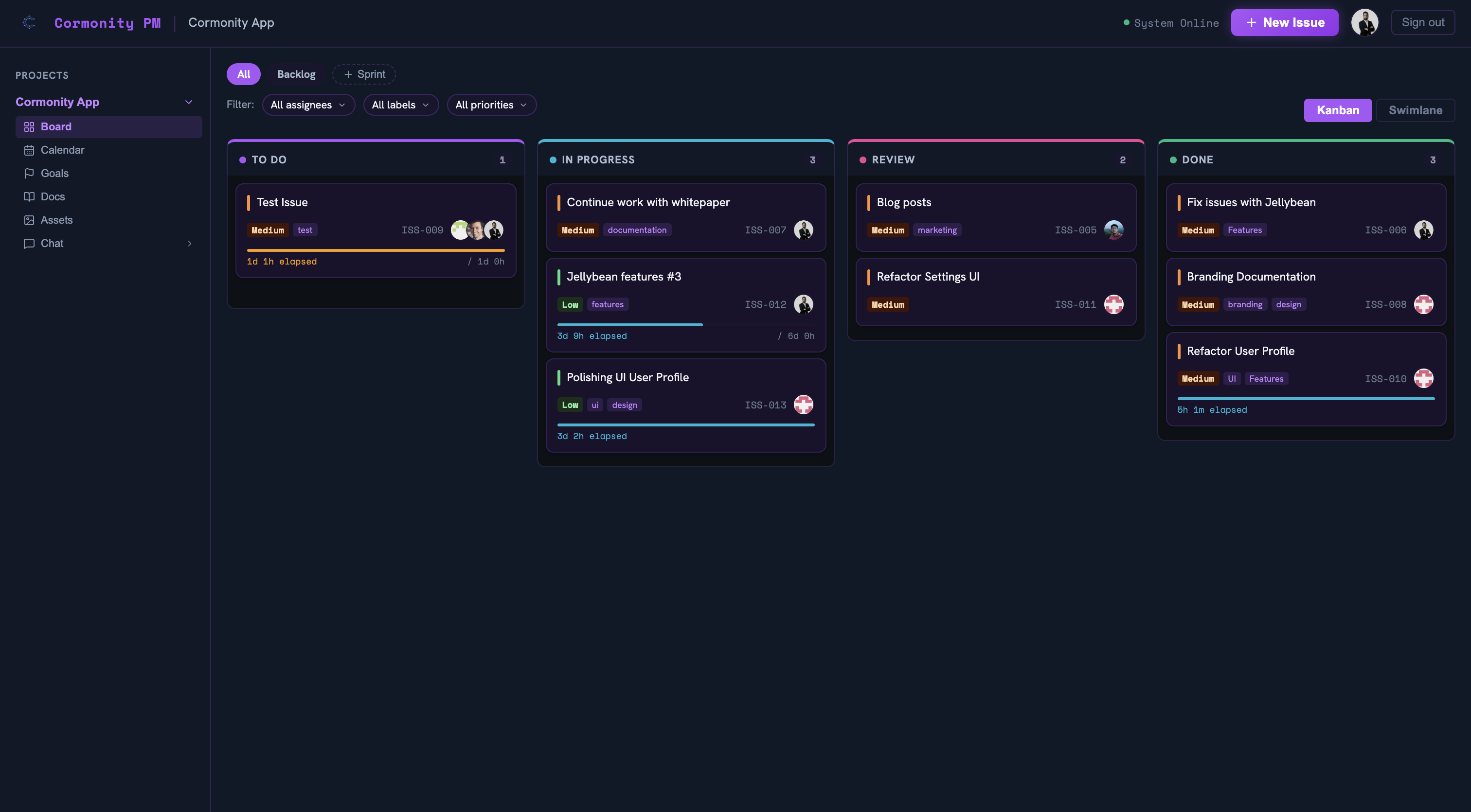
Jellybean PM is a full-featured project management integration for Astro sites, powered entirely by GitHub Issues. It embeds a drag-and-drop Kanban board, sprint planner, milestone tracker, calendar view, and real-time group chat directly into any Astro project — no external database or third-party SaaS required.
Installation & Usage Guide
Requirements
- Astro 5.0 or higher
- React 18+
- A GitHub repository for data storage
- A registered GitHub OAuth application
Installation
Install the package from npm:
npm install jellybean-pm
Register the integration in your astro.config.mjs:
import { defineConfig } from 'astro/config';
import react from '@astrojs/react';
import pm from 'jellybean-pm';
import pmConfig from './jellybean-pm.config';

export default defineConfig({
  integrations: [react(), pm(pmConfig)],
});
Configuration
Create a jellybean-pm.config.ts at your project root:
import { defineConfig } from 'jellybean-pm';

export default defineConfig({
  storage: {
    repo: 'your-org/your-repo',
    dataPath: '.jellybean-pm',
    branch: 'main',
  },
  ui: {
    brand: {
      name: 'My Project PM',
      logo: '/path/to/logo.svg',
    },
  },
  projects: [
    {
      slug: 'my-project',
      name: 'My Project',
      columns: [
        { id: 'todo', name: 'To Do' },
        { id: 'in-progress', name: 'In Progress' },
        { id: 'review', name: 'Review' },
        { id: 'done', name: 'Done' },
      ],
    },
  ],
});
Environment Variables
Add the following to your .env file. Register a GitHub OAuth App and set the callback URL to http://localhost:4321/project-management/auth/callback for local development.
GITHUB_CLIENT_ID=your_client_id
GITHUB_CLIENT_SECRET=your_client_secret
SESSION_SECRET=a_random_32_character_string
GITHUB_CLIENT_ID— Client ID from your GitHub OAuth AppGITHUB_CLIENT_SECRET— Client secret from your GitHub OAuth AppSESSION_SECRET— Random string (min. 32 chars) for encrypting session cookies
Usage
Start your Astro dev server and navigate to /project-management to access the full interface. Sign in with GitHub to manage issues, assign tasks, and track sprints.
$ npm install jellybean-pm